Learn about using gradient and transparent hatches to enhance your 2D drawings and illustrations.
Latest
Tuesday, June 7, 2022
Gradient Hatch, new in Rhino 7
Learn about using gradient and transparent hatches to enhance your 2D drawings and illustrations.
Tuesday, May 10, 2022
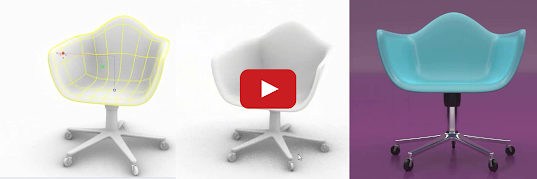
Post Effects in Rhino 7
Post Effects is new in Rhino 7.
Wednesday, April 13, 2022
LEARN about Grasshopper in 20 minutes
LEARN about Rhino in 25 minutes
SnapShots for project presentations
Have you tried SnapShots? We've much improved this feature for Rhino 7.
Use SnapShots to organize your model into different scenarios. This is an excellent tool for project presentations and visualization.
Try all the options.
Discover what else is new in Rhino 7.
Wednesday, March 30, 2022
Have you tried Emissive Materials?
Do you need to create backlit screens and buttons? With Emissive Material, you can convert any object into a light source in the scene, casting rays into its surrounding environment.
Learn more about using Emissive Materials to convert any object into a light source.
Discover what else is new in Rhino 7.
Monday, February 28, 2022
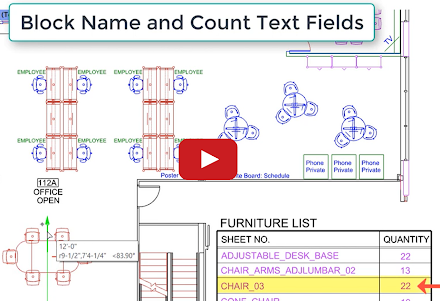
Use text fields to keep your documents current
Rhino 7 features 6 improved text fields and introduces 11 new text fields. In addition, in Rhino 7, annotated blocks allow you to reuse your content on different layouts and across all your projects.
Wednesday, January 26, 2022
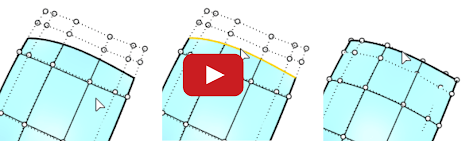
Have you tried RefitTrim?
Use RefitTrim, one of the new modeling tools in Rhino 7, to create higher quality transitions between neighboring surfaces. Learn more about using RefitTrim.
Discover what else is new in Rhino 7.
Monday, January 10, 2022
SubD: Create smooth, seamless surfaces
There are dozens of new Rhino 7 features. You might have missed SubD, one of the new modeling tools in Rhino 7. Use SubD to make beautiful organic forms. Check out SubD in this 2-minute video.
Explore other Rhino 7 enhancements for Windows and Mac.
Thursday, November 18, 2021
Have you tried MultiPipe?
There are dozens of new Rhino 7 features you might have missed. MultiPipe is one of the new commands and Grasshopper components in Rhino 7. Use MultiPipe to make smooth, complex blends.
Explore other Rhino 7 enhancements for Windows and Mac.
Wednesday, November 10, 2021
Don't want to write code to create new Rhino commands? Try Grasshopper Player
Check it out in this 1-minute video.
Explore other Rhino 7 enhancements for Windows and Mac.
Thursday, November 4, 2021
Have you tried RibbonOffset?
Have you tried the RibbonOffset feature in Rhino 7?
Explore other Rhino 7 enhancements for Windows and Mac.
Wednesday, October 27, 2021
Have you tried PBR materials?
Have you tried the Physical Based Rendering (PBR) materials feature in Rhino 7?
See an introduction to PBR materials to get endless variations in style and materials in this 1-minute video. You can also find hundreds of free PBR rendering materials with this Google search.
Explore other Rhino 7 enhancements for Windows and Mac.
Friday, October 22, 2021
Have you tried Named Selections?
Monday, October 18, 2021
Have you tried EdgeContinuity?
EdgeContinuity displays a graphic (quills) and a numeric indication of the difference in position, tangency, or curvature continuity across pairs of surface edges.
See how to use EdgeContinuity.Tuesday, October 5, 2021
Have you tried Bloom?
Check out this new rendering feature in this 1-minute video.
The Bloom post-effect feathers the bright areas in an image to simulate lights in a dark scene. See more about how to use Bloom.
You can also explore other Rhino 7 enhancements for Windows and Mac.Tuesday, September 28, 2021
Wednesday, July 7, 2021
Getting started with architectural modeling
Join Rhino instructor Mary Ann Fugier in this previously recorded getting started webinar for both Rhino 7 for Mac and Rhino 7 for Windows.
Learn to create a simple architectural guest house model using exact coordinates. You'll also learn to view the model in various display modes, assign materials for rendering, and configure a layout for printing complete with dimensions and annotations.
Monday, January 4, 2021
Vintage trike in SubD
Wednesday, December 30, 2020
SubD trellis ring in Rhino 7
Learn how to model a trellis ring using SubD geometry in Rhino 7. Download the associated files for this tutorial. We have more SubD tutorials in Rhino 7 on our Learning to use Rhino page.
Tuesday, December 22, 2020
Rendering Jewelry in Rhino 7
Thursday, December 17, 2020
Deforming SubD geometry
Friday, December 11, 2020
Heart shaped ring
Learn how to model a heart shaped ring using SubD geometry in Rhino 7.
You can download the associated files for this tutorial.
Tuesday, December 8, 2020
SubD fleur-de-lis ring in Rhino 7
Thursday, December 3, 2020
Basic 'push and pull' modeling with SubD in Rhino 7
SubD flatware in Rhino 7 (speed model)
Friday, March 29, 2019
Fillet Fundamentals in Rhino
In this video series, our McNeel tech expert, Pascal Golay, explains what goes on behind the scenes with Rhino's Fillet command: how Fillets work, the pros and cons of certain strategies, the different Fillet types. Check it out!