Latest

Showing posts with label Rhino 7. Show all posts

Monday, October 17, 2022

New lighting features ... in Rhino 7


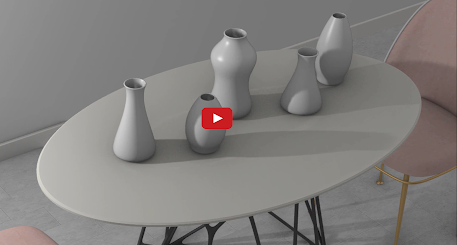
With light falloff, Rhino 7 introduces new light falloff types, such as Linear and Inverse Squared. These features decrease the light's intensity as it travels through the scene, closely mimicking how lights behave in the real world.

Check out light fallout in this one-minute video.

Discover what else is new in Rhino 7.


Tuesday, August 9, 2022

Clash detection, new in Rhino 7


Clash is a Grasshopper component that searches a large number of objects and finds the intersection points of objects that touch each other. Clash lets you quickly detect and eliminate collisions in complex models, particularly useful in architecture, engineering, and construction.

Discover what else is new in Rhino 7.

Tuesday, June 7, 2022

Gradient Hatch, new in Rhino 7


Use Gradient and Transparent Hatches to create expressive 2D drawings. These beautiful Hatch styles allow illustrators, drafters, interior designers, architects, or anyone producing 2D drawings to create complex gradients and transparency. All with a few settings that are easy to understand, access, and manage from a single place.

Learn about using gradient and transparent hatches to enhance your 2D drawings and illustrations. 


Tuesday, May 10, 2022

Post Effects in Rhino 7


Before and after the denoiser post effect

Post Effects is new in Rhino 7

Learn how to use post effects in Rhino 7 to enhance your rendering by removing noise, creating bloom effects, and adding blur with depth of field.


Wednesday, April 13, 2022

LEARN about Rhino in 25 minutes


New to Rhino? Watch this series of short videos that will get you from zero knowledge to building your first 3D organic models!.

Wednesday, March 30, 2022

Have you tried Emissive Materials?


Have you tried Emissive Materials? It's a new feature in Rhino 7.

Do you need to create backlit screens and buttons? With Emissive Material, you can convert any object into a light source in the scene, casting rays into its surrounding environment. 

Learn more about using Emissive Materials to convert any object into a light source.

Discover what else is new in Rhino 7.

Monday, February 28, 2022

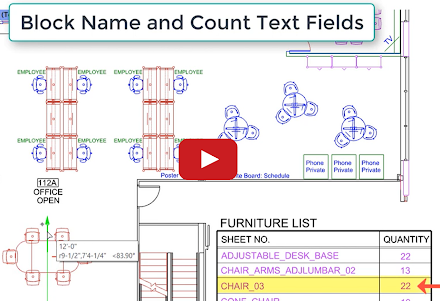
Use text fields to keep your documents current


Have you tried Enhanced Text Fields?

Keep your design documentation current by using text fields. Text fields can be used in title blocks, annotation objects, and notes that update automatically as your design changes, preventing errors in large drawing sets. Text fields automatically update, ensuring that design changes are always accurately captured. 

Rhino 7 features 6 improved text fields and introduces 11 new text fields. In addition, in Rhino 7, annotated blocks allow you to reuse your content on different layouts and across all your projects. 


Wednesday, January 26, 2022

Monday, January 10, 2022

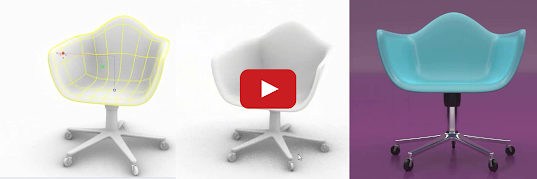
SubD: Create smooth, seamless surfaces


There are dozens of new Rhino 7 features. You might have missed SubD, one of the new modeling tools in Rhino 7. Use SubD to make beautiful organic forms. Check out SubD in this 2-minute video

Explore other Rhino 7 enhancements for Windows and Mac.

Thursday, November 18, 2021

Have you tried MultiPipe?


There are dozens of new Rhino 7 features you might have missed. MultiPipe is one of the new commands and Grasshopper components in Rhino 7. Use MultiPipe to make smooth, complex blends.

Check out MultiPipe in this 1-minute video.

Explore other Rhino 7 enhancements for Windows and Mac.


Thursday, November 4, 2021

Have you tried RibbonOffset?


Have you tried the RibbonOffset feature in Rhino 7?

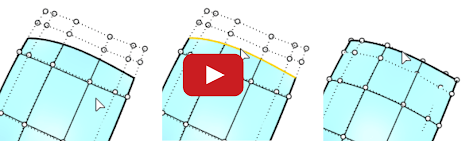
For mold makers and tool designers, here's a 1-minute video introduction to RibbonOffset. Use RibbonOffset to create your mold splits and parting surfaces, then refine your surface with Rhino's improved Blend commands. 

Explore other Rhino 7 enhancements for Windows and Mac.


Wednesday, October 27, 2021

Friday, October 22, 2021

Have you tried Named Selections?


The NamedSelections command opens the Named Selections panel that saves selection sets. Check it out in this one-minute video.


Or see how to use Named Selections in the Rhino Help document.

Explore other Rhino 7 enhancements for Windows and Mac.


Monday, October 18, 2021

Have you tried EdgeContinuity?


Check out this new analysis tool in Rhino 7 (1 min video).

EdgeContinuity displays a graphic (quills) and a numeric indication of the difference in position, tangency, or curvature continuity across pairs of surface edges.

See how to use EdgeContinuity.

You can also explore other Rhino 7 enhancements for Windows and Mac.


Tuesday, October 5, 2021

Have you tried Bloom?


Check out this new rendering feature in this 1-minute video

The Bloom post-effect feathers the bright areas in an image to simulate lights in a dark scene. See more about how to use Bloom.

You can also explore other Rhino 7 enhancements for Windows and Mac.

Monday, January 4, 2021

Vintage trike in SubD

Join Kyle Houchens for this in-depth model of a classic trike design from sketch to 3D using Rhino 7. Find more SubD tutorials here.


Wednesday, December 30, 2020

SubD trellis ring in Rhino 7


Learn how to model a trellis ring using SubD geometry in Rhino 7. Download the associated files for this tutorial. We have more SubD tutorials in Rhino 7 on our Learning to use Rhino page.

Tuesday, December 22, 2020

Rendering Jewelry in Rhino 7

 
Learn how to render jewelry models in Rhino 7 using custom environments and rendering post effects.

Watch more tutorials on rendering in Rhino.

Thursday, December 17, 2020