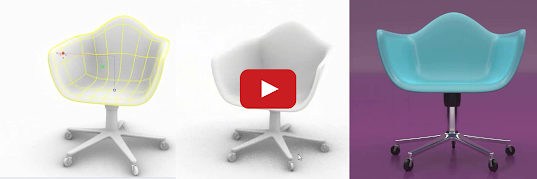
In this short exercise, train yourself to modify a SubD object through sub-object selection methods.
Latest
Wednesday, November 19, 2025
Rhino 8 Tip: Modify a Sub-Object Selection
In this short exercise, train yourself to modify a SubD object through sub-object selection methods.
Tuesday, November 18, 2025
Rhino 8 Tip: Sub-Object Selection Methods
In this quick example, learn about Sub-Objects in Rhino and Sub-Object selection methods. Sub-Object editing is a flexible modeling workflow in Rhino!
Monday, November 17, 2025
Rhino 8 Tip: Align Objects with the Gumball
Align Objects with the Gumball
In this quick exercise, use the Gumball to orient one object to another in space.
What else is new in Rhino 8? Check it out!
Sunday, November 16, 2025
Rhino 8 Tip: Relocate/Move with the Gumball
Relocate / Move with the Gumball
In this simple exercise, learn how to reposition the Gumball to move objects with precision to a new location.
What else is new in Rhino 8? Check it out!
Saturday, November 15, 2025
Rhino 8 Tip: What is Snappy Dragging?
What is Snappy Dragging?
Do you need to freely sculpt SubDs or Surface Control Points with the Gumball? Use Smooth Dragging.
Learn more…
Friday, November 14, 2025
Rhino 8 Tip: Solid Modeling with the Gumball
Thursday, November 13, 2025
Rhino 8 Tip: What is the Gumball?
In this comprehensive guide, you can easily browse through all the creation and editing Gumball tools.
Wednesday, August 13, 2025
Learn Rhino 8: ShrinkWrap, Flow Along Surface, SubD, and more
In case you've never seen one of Kyle Houchen's (McNeel Tech and Trainer) YouTube videos.....
He's back again with a fun floral ring project that’s really a masterclass in Rhino workflows. While the design happens to be jewelry-shaped, the techniques apply to all kinds of projects—architecture, product design, decorative details, and beyond.
In this fast-paced demo, you’ll learn how to:
Import and begin your model from a rough sketch and build with intent (not just tracing lines).
Use SubD modeling with the “Rule of Three” for clean, editable geometry.
Arrange and orient repeating elements with FlowAlongSurface.
Unify complex (or messy) geometry instantly with ShrinkWrap—essential for 3D printing.
It’s a fast, flexible workflow that lets you make progressive design variations in minutes without additional work—ideal for prototyping or client presentations.
Watch the full video on the Rhinoceros 3D YouTube channel to see Kyle take this from sketch to quick rendering.
Thursday, February 15, 2024
Rhino 8: Texture Mapping with the UV Editor
What else is new in Rhino 8? Check it out!
Thursday, December 14, 2023
Rhino 8: Learn the User Interface
Learn how to navigate the Rhino 8 interface in these short videos for Windows and Mac.
What else is new in Rhino 8? Check it out!
Wednesday, December 13, 2023
Rhino 8: Gumball updates
In this Rhino 8 video tutorial, you'll learn how to use the Gumball manipulator in Rhino 8 to model a coffee table design, starting with only a few curves.
What else is new in Rhino 8? Check it out!
Tuesday, December 12, 2023
Rhino 8: From Mesh to Solid
This Rhino 8 video tutorial teaches how to 'reverse engineer' a low poly 3D scan into a smooth closed solid.
What else is new in Rhino 8? Check it out!
Monday, October 17, 2022
New lighting features ... in Rhino 7

With light falloff, Rhino 7 introduces new light falloff types, such as Linear and Inverse Squared. These features decrease the light's intensity as it travels through the scene, closely mimicking how lights behave in the real world.
Check out light fallout in this one-minute video.
Discover what else is new in Rhino 7.
Friday, September 16, 2022
Check out Block Attributes in Rhino 7
Have you tried Block Attributes? Save time by making your blocks smart with Attributes.
Attributes attach data to blocks. Configure Attributes to store a part number, cost, location, color, material, or other details about the inserted block. When you insert a block with attributes, the attribute value is updated and stored with each block instance.
Change Attributes at any time from the Properties panel.
Attribute information extracted from a model can be imported into a spreadsheet to produce reports, schedules, or a bill of materials.
Check out Block Attributes in this one-minute video...
Discover what else is new in Rhino 7.
Wednesday, August 10, 2022
Grasshopper Component Placeholders
This new feature lets you know where those missing components belong in the definition and keep their connections.
Grasshopper Components Placeholders is often useful when updating older definitions. Once the definition is open, you can find and replace them with the correct components.
Tuesday, August 9, 2022
Clash detection, new in Rhino 7
Clash is a Grasshopper component that searches a large number of objects and finds the intersection points of objects that touch each other. Clash lets you quickly detect and eliminate collisions in complex models, particularly useful in architecture, engineering, and construction.
Discover what else is new in Rhino 7.
Tuesday, July 26, 2022
Getting Started Live - Rhino for Windows
Tuesday, June 7, 2022
Gradient Hatch, new in Rhino 7
Learn about using gradient and transparent hatches to enhance your 2D drawings and illustrations.
Tuesday, May 10, 2022
Post Effects in Rhino 7
Post Effects is new in Rhino 7.
Wednesday, April 13, 2022
LEARN about Grasshopper in 20 minutes
LEARN about Rhino in 25 minutes
SnapShots for project presentations
Have you tried SnapShots? We've much improved this feature for Rhino 7.
Use SnapShots to organize your model into different scenarios. This is an excellent tool for project presentations and visualization.
Try all the options.
Discover what else is new in Rhino 7.
Wednesday, March 30, 2022
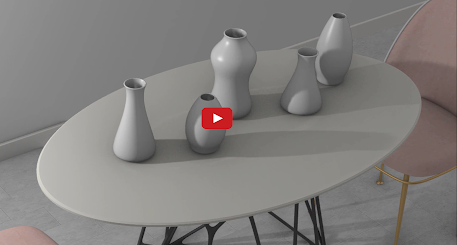
Have you tried Emissive Materials?
Do you need to create backlit screens and buttons? With Emissive Material, you can convert any object into a light source in the scene, casting rays into its surrounding environment.
Learn more about using Emissive Materials to convert any object into a light source.
Discover what else is new in Rhino 7.
Monday, February 28, 2022
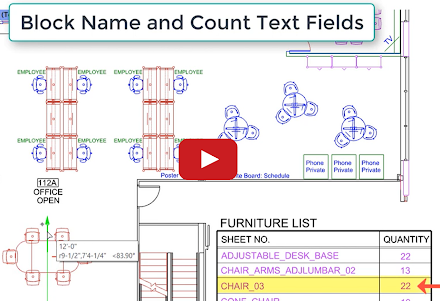
Use text fields to keep your documents current
Rhino 7 features 6 improved text fields and introduces 11 new text fields. In addition, in Rhino 7, annotated blocks allow you to reuse your content on different layouts and across all your projects.
Wednesday, January 26, 2022
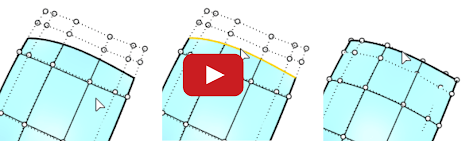
Have you tried RefitTrim?
Use RefitTrim, one of the new modeling tools in Rhino 7, to create higher quality transitions between neighboring surfaces. Learn more about using RefitTrim.
Discover what else is new in Rhino 7.
Monday, January 10, 2022
SubD: Create smooth, seamless surfaces
There are dozens of new Rhino 7 features. You might have missed SubD, one of the new modeling tools in Rhino 7. Use SubD to make beautiful organic forms. Check out SubD in this 2-minute video.
Explore other Rhino 7 enhancements for Windows and Mac.
Thursday, November 18, 2021
Have you tried MultiPipe?
There are dozens of new Rhino 7 features you might have missed. MultiPipe is one of the new commands and Grasshopper components in Rhino 7. Use MultiPipe to make smooth, complex blends.
Explore other Rhino 7 enhancements for Windows and Mac.
Wednesday, November 10, 2021
Don't want to write code to create new Rhino commands? Try Grasshopper Player
Check it out in this 1-minute video.
Explore other Rhino 7 enhancements for Windows and Mac.
Thursday, November 4, 2021
Have you tried RibbonOffset?
Have you tried the RibbonOffset feature in Rhino 7?
Explore other Rhino 7 enhancements for Windows and Mac.
Wednesday, October 27, 2021
Have you tried PBR materials?
Have you tried the Physical Based Rendering (PBR) materials feature in Rhino 7?
See an introduction to PBR materials to get endless variations in style and materials in this 1-minute video. You can also find hundreds of free PBR rendering materials with this Google search.
Explore other Rhino 7 enhancements for Windows and Mac.